
A code workspace
Models are Python scripts with CadQuery. Your coding agent runs in the built-in terminal, the editor shows what it writes, and Git keeps every version.
Open-source AI CAD
Tell your agent what you need. It writes the model as Python code with CadQuery, SOMA builds it and shows the result. Measure it, point at what is wrong, and the agent changes the code.
A CAD program where the AI does the CAD.
You are the designer: you decide what to build, check the result and point at what is wrong. The agent turns it into precise, editable geometry. SOMA brings together the three parts this needs:
Models are Python scripts with CadQuery. Your coding agent runs in the built-in terminal, the editor shows what it writes, and Git keeps every version.
SOMA builds the model on every change and shows it. Measure, cut, explode and mark it up to show the agent what to change.
Rules, skills and a command line tool teach the agent how to model, check and export, for 3D printing, CNC, sheet metal and more.
Frame from 2040 and 2080 aluminium extrusions, MGN12 linear rails and T8 lead screws on all axes, NEMA 23 steppers and a trim router spindle. Work area 300 × 300 × 80 mm.
A 3D printed organizer with a hinged lid and finger scoops. The grid of compartments is a parameter: change it and the whole box follows, including dividers and hinge.
Four legs with three joints each, driven by brushless motors with a 6:1 planetary gear. The trot comes from inverse kinematics in the animation script; the floor runs underneath.
An oak board on two steel brackets with a load of 50 kg spread over the top. CalculiX computes stress and deflection; the colors show where the shelf carries the load.
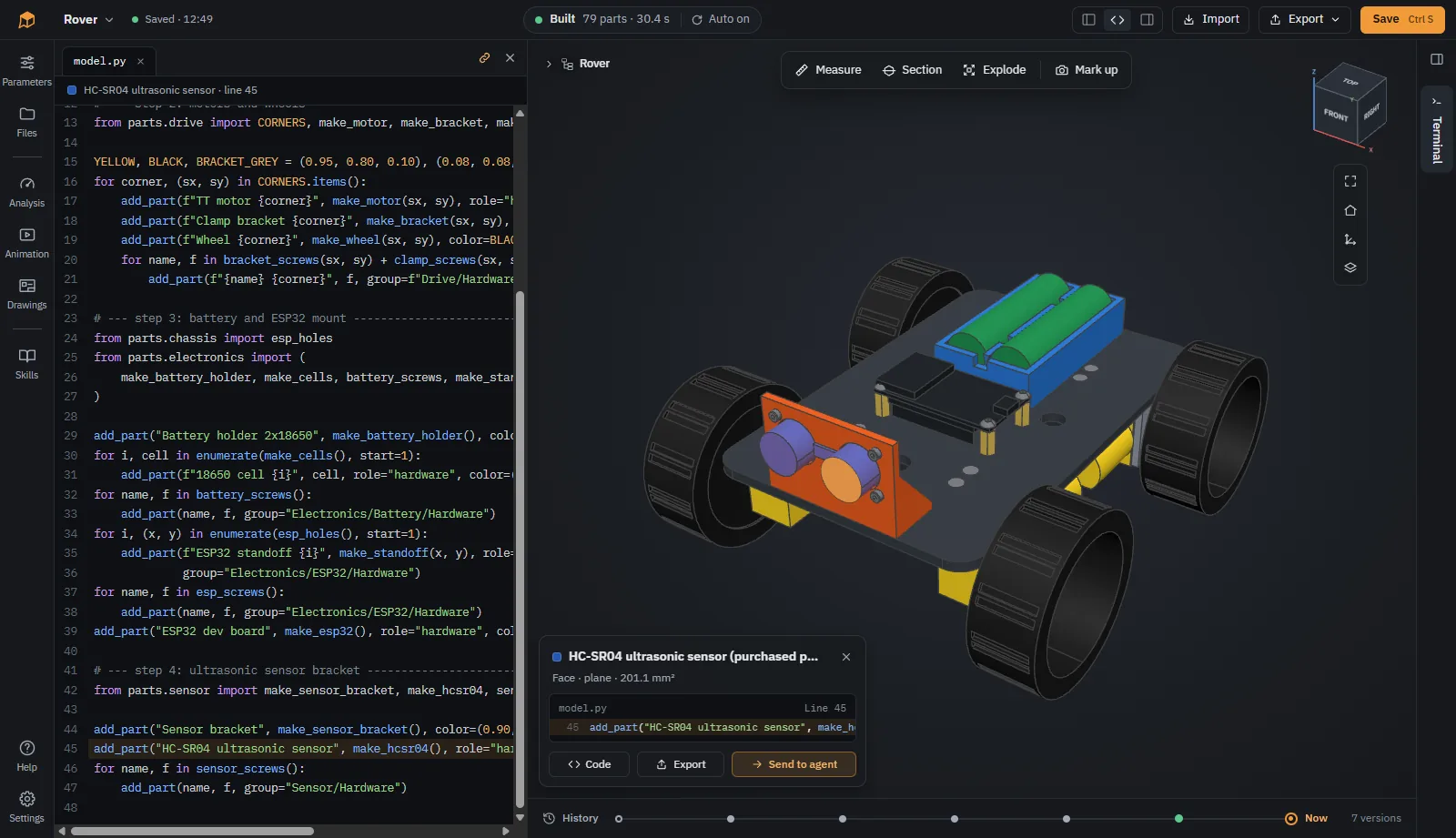
Your agent writes the model as Python with CadQuery. SOMA rebuilds it on every change, and the code is always there if you want to change a dimension yourself.
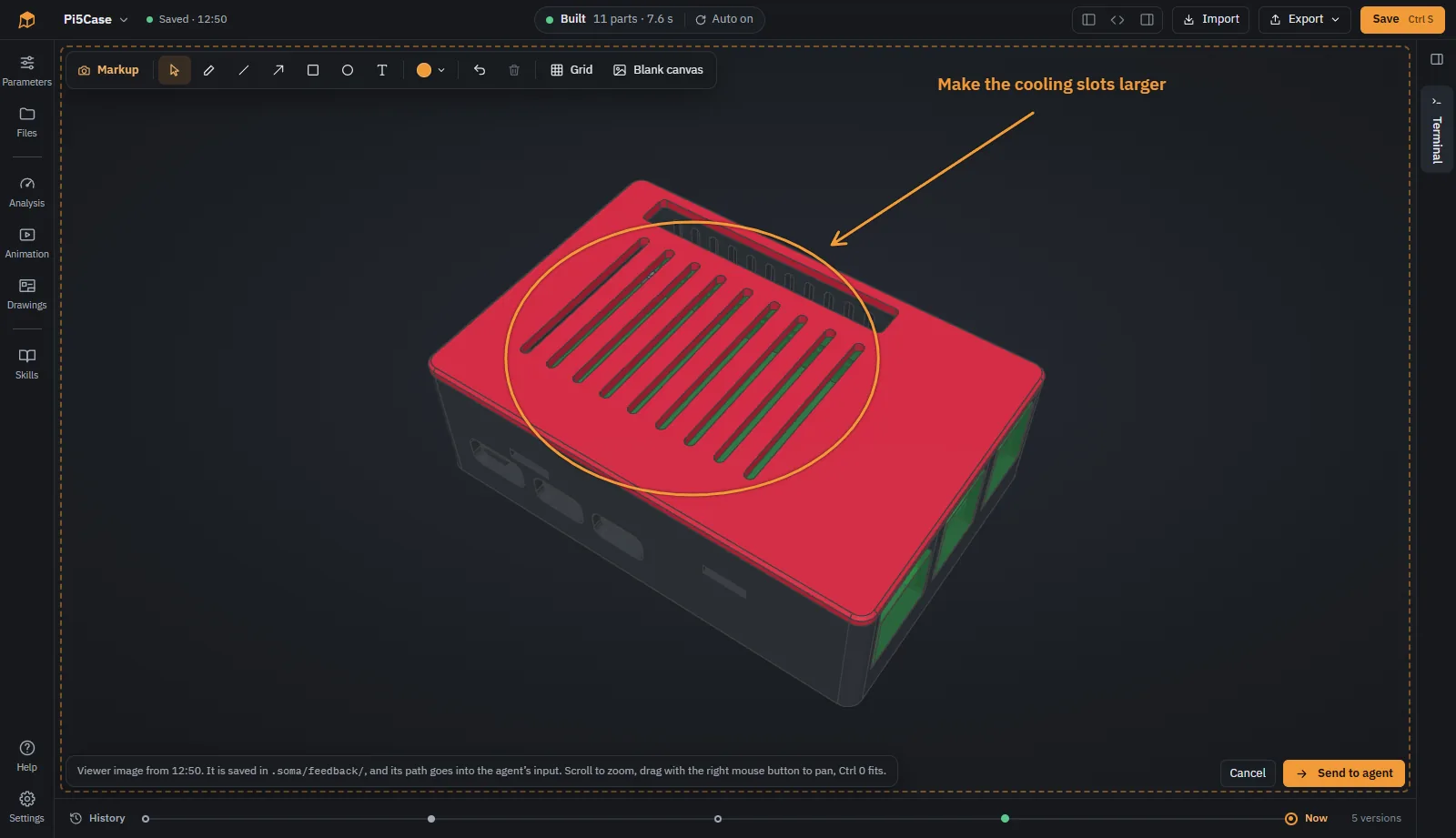
Draw arrows, circles and notes on a picture of the view and send it to the agent. Or click a part and send it, so the agent knows exactly what you mean.
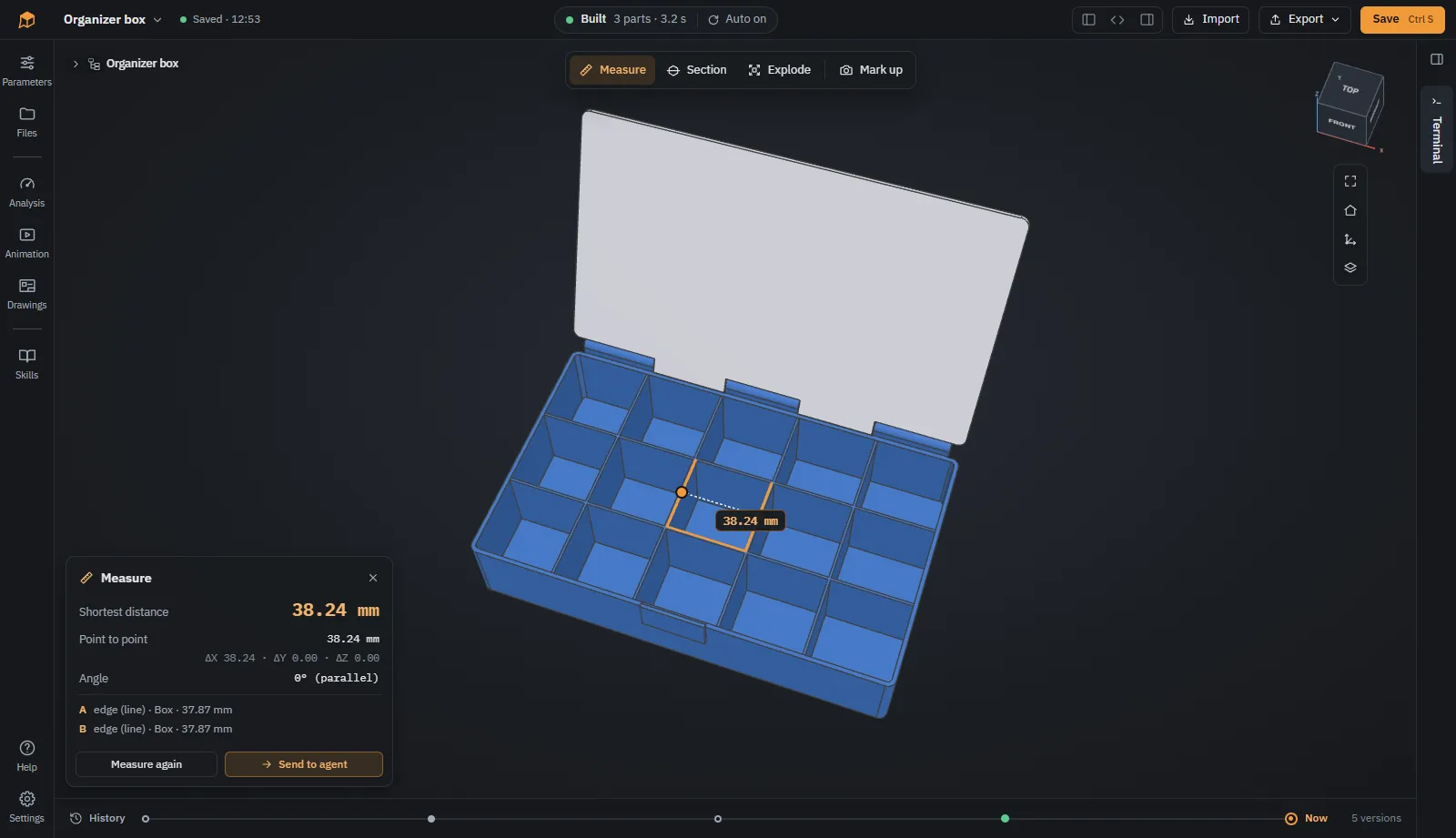
Click a face or edge for its size, a second one for distance and angle. The values are exact, taken from the CAD geometry, not from the mesh.
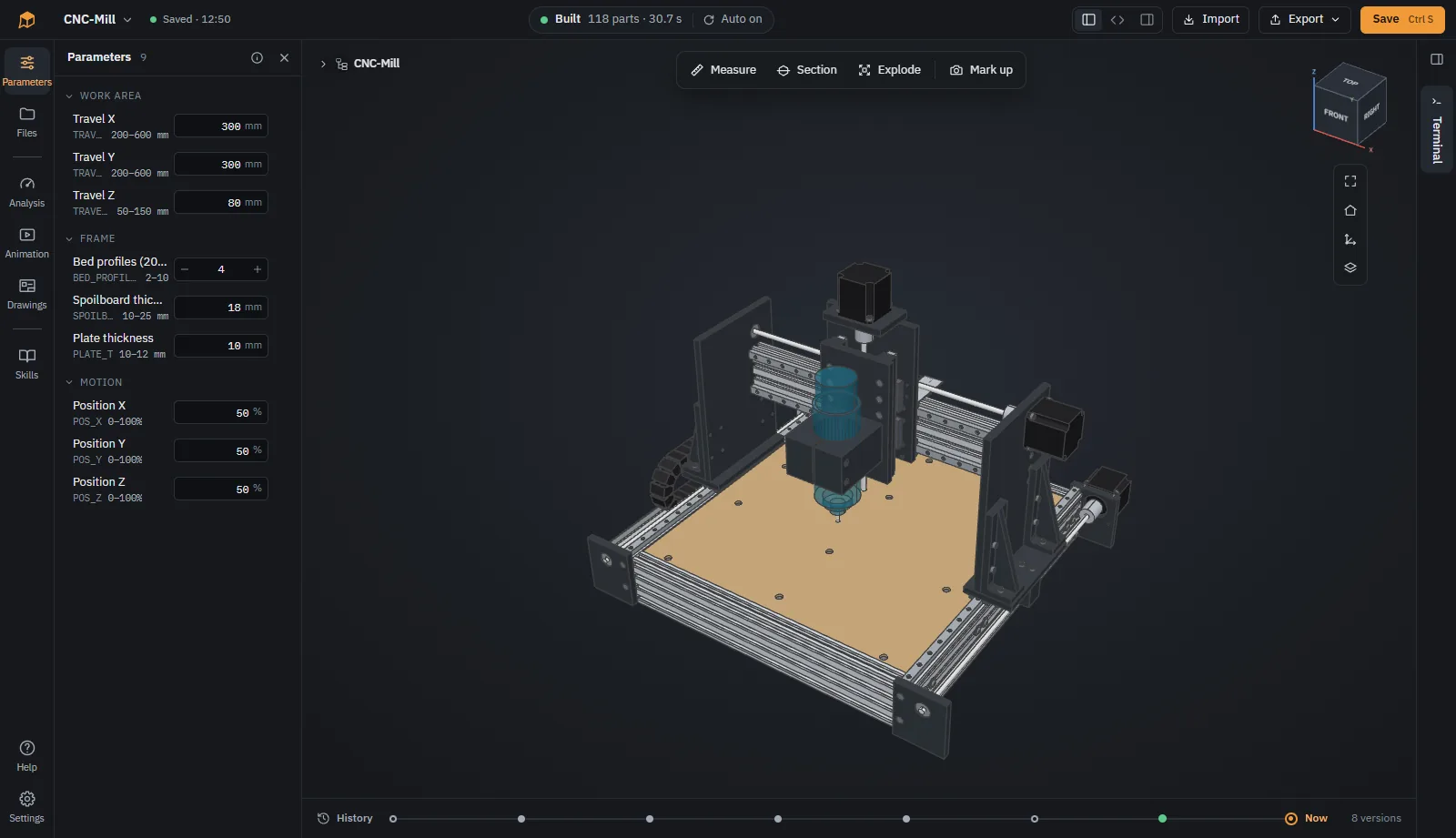
Change the values the agent made adjustable, such as wall thickness or work area, without touching the code. The model rebuilds right away.
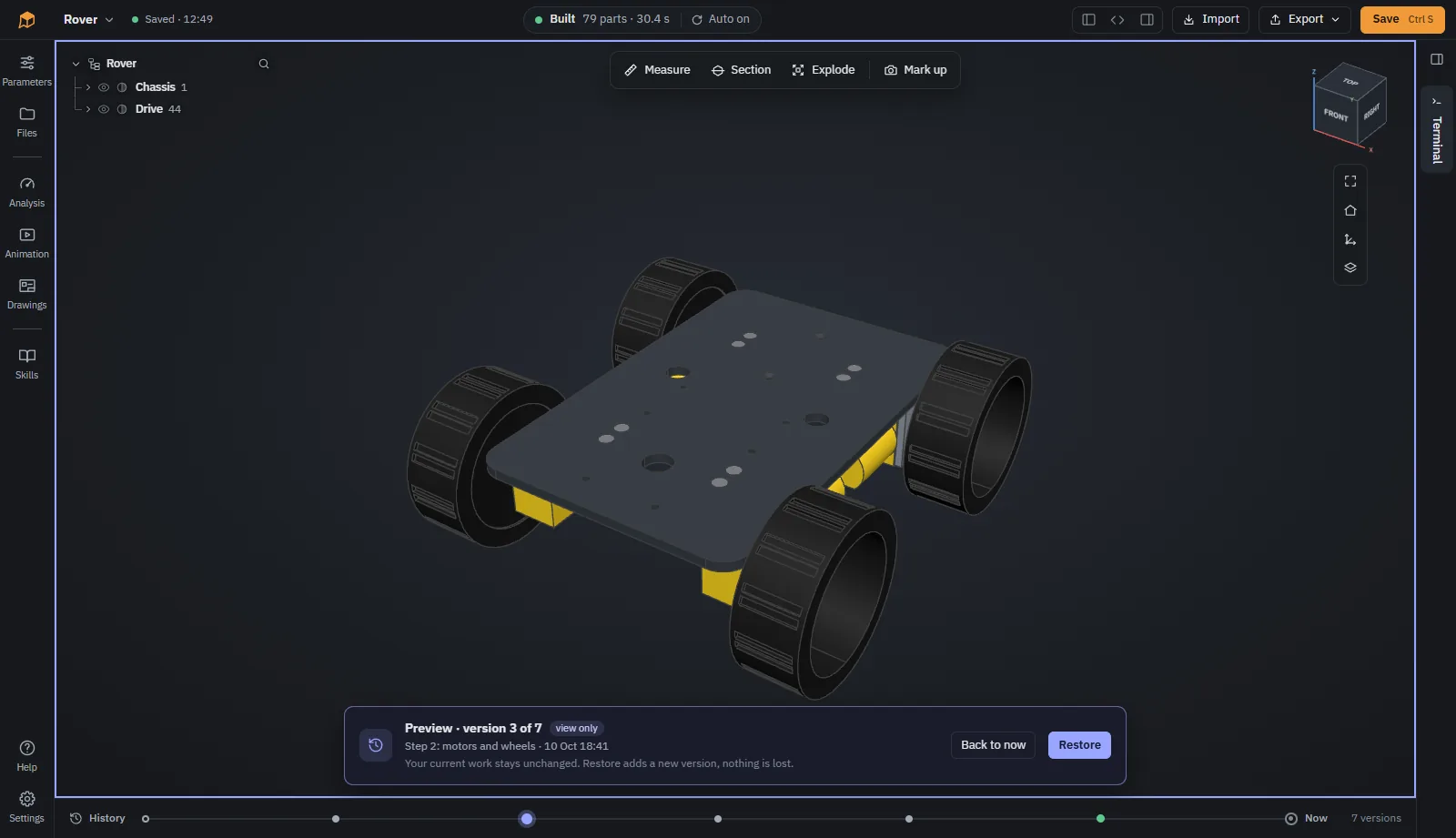
Every step of the agent lands on a timeline. Preview earlier versions and restore the one you want to continue from.
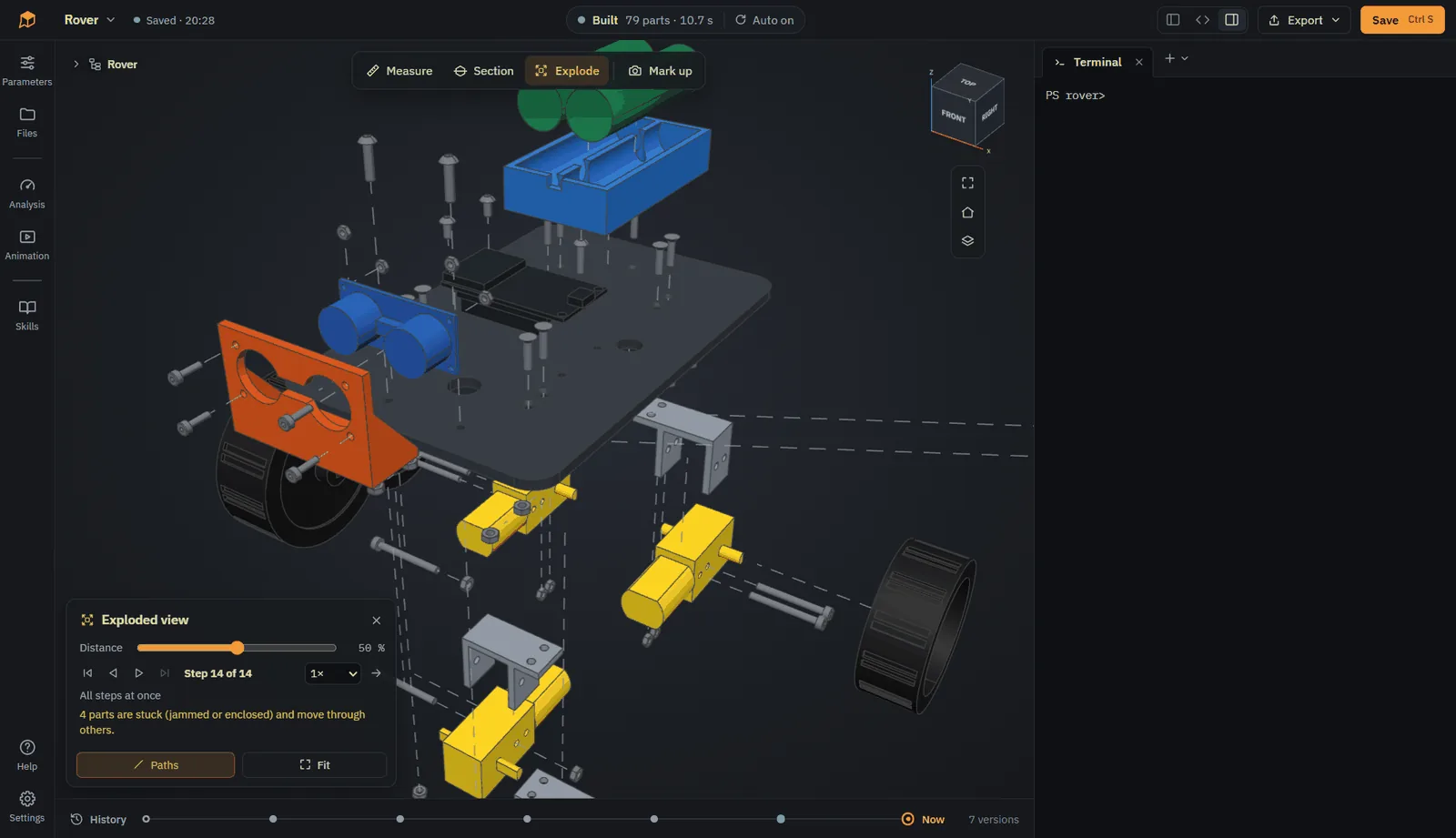
Take an assembly apart with one slider. SOMA works out in which direction each part comes off.
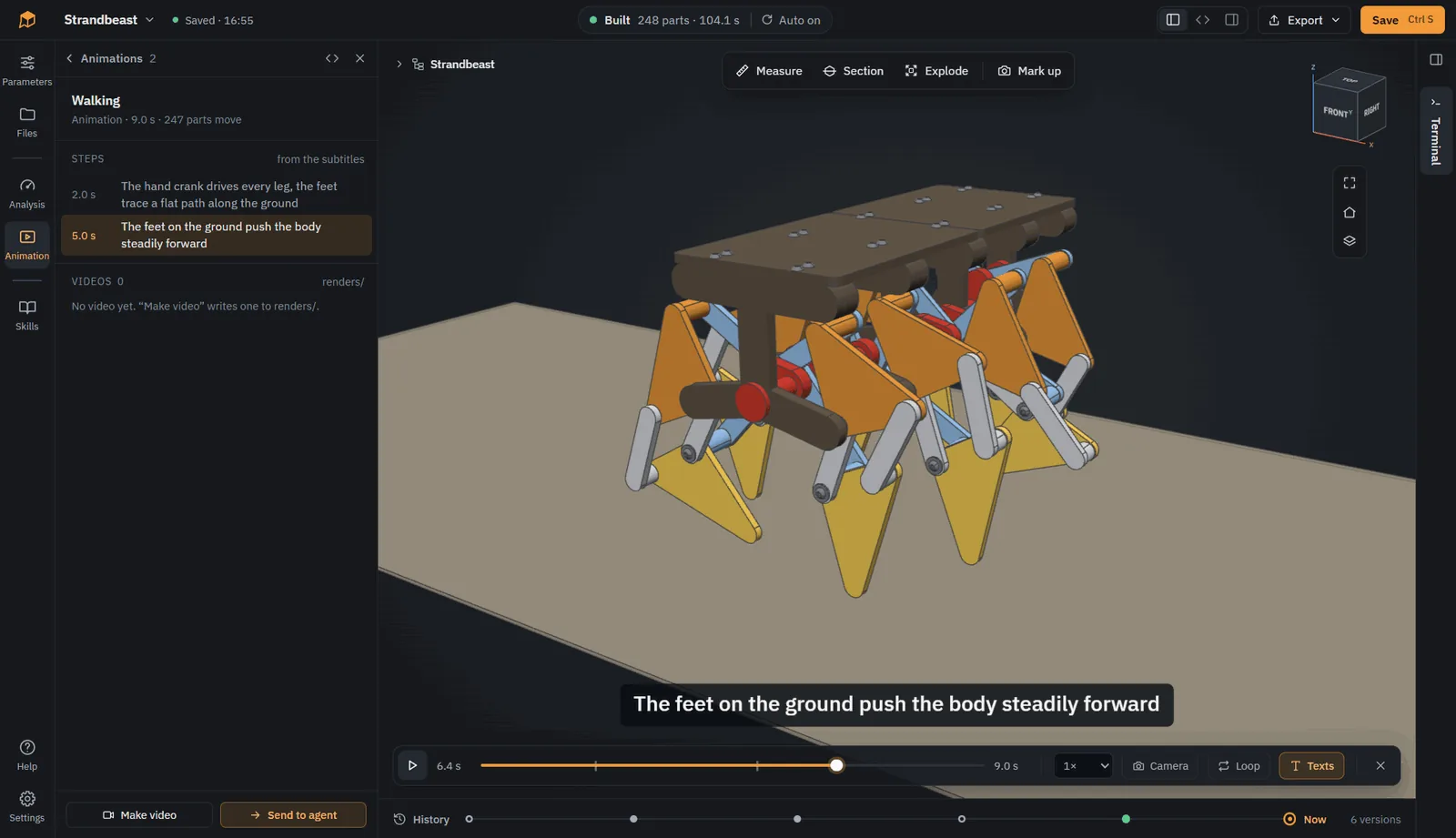
Your agent describes motion in Python: joints, gears, camera moves. Play it in the viewer, check for collisions, and render it to video.
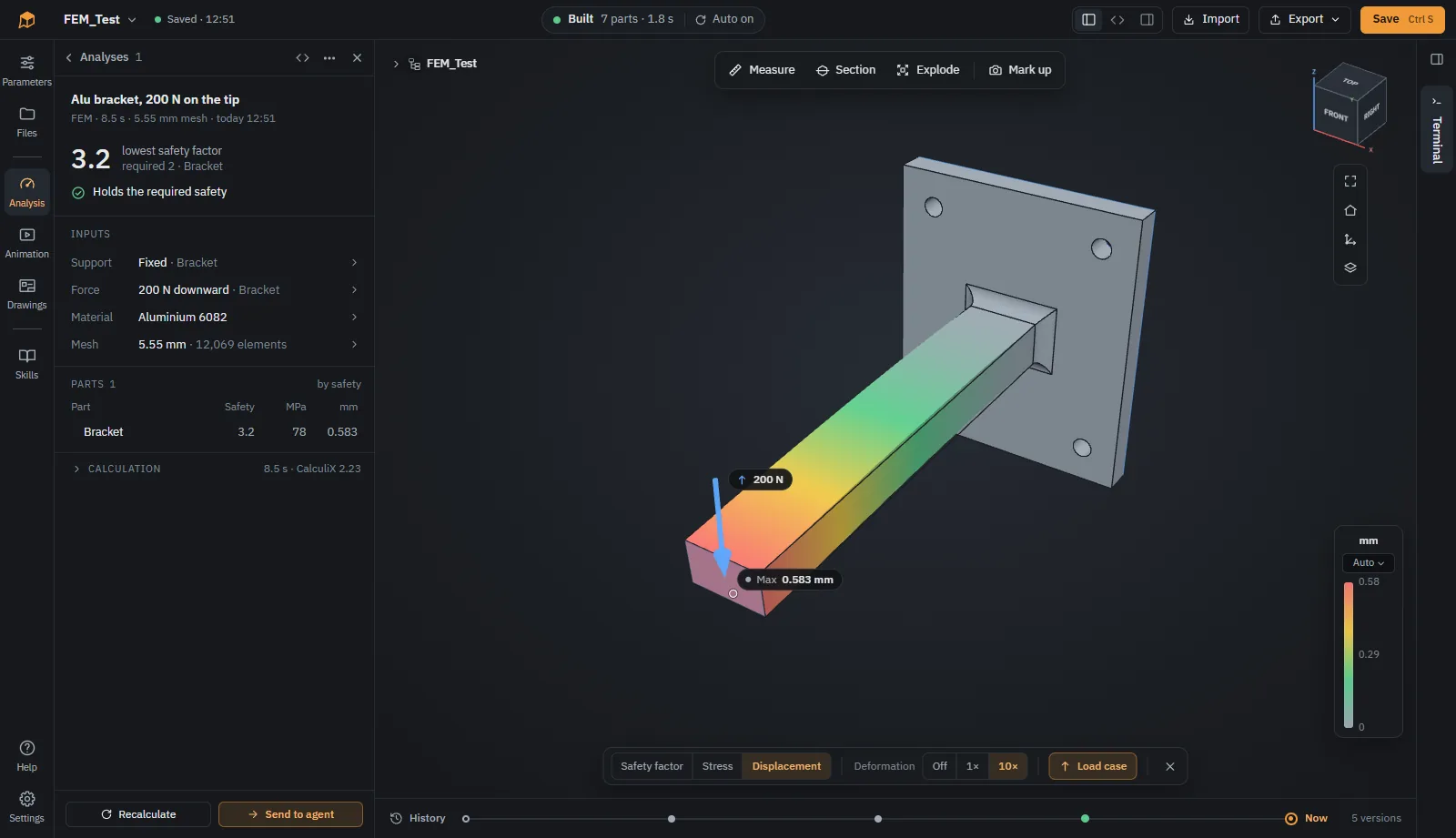
Check overhangs and wall thickness for printing, and strength with finite elements using CalculiX. Results are shown in color on the model.
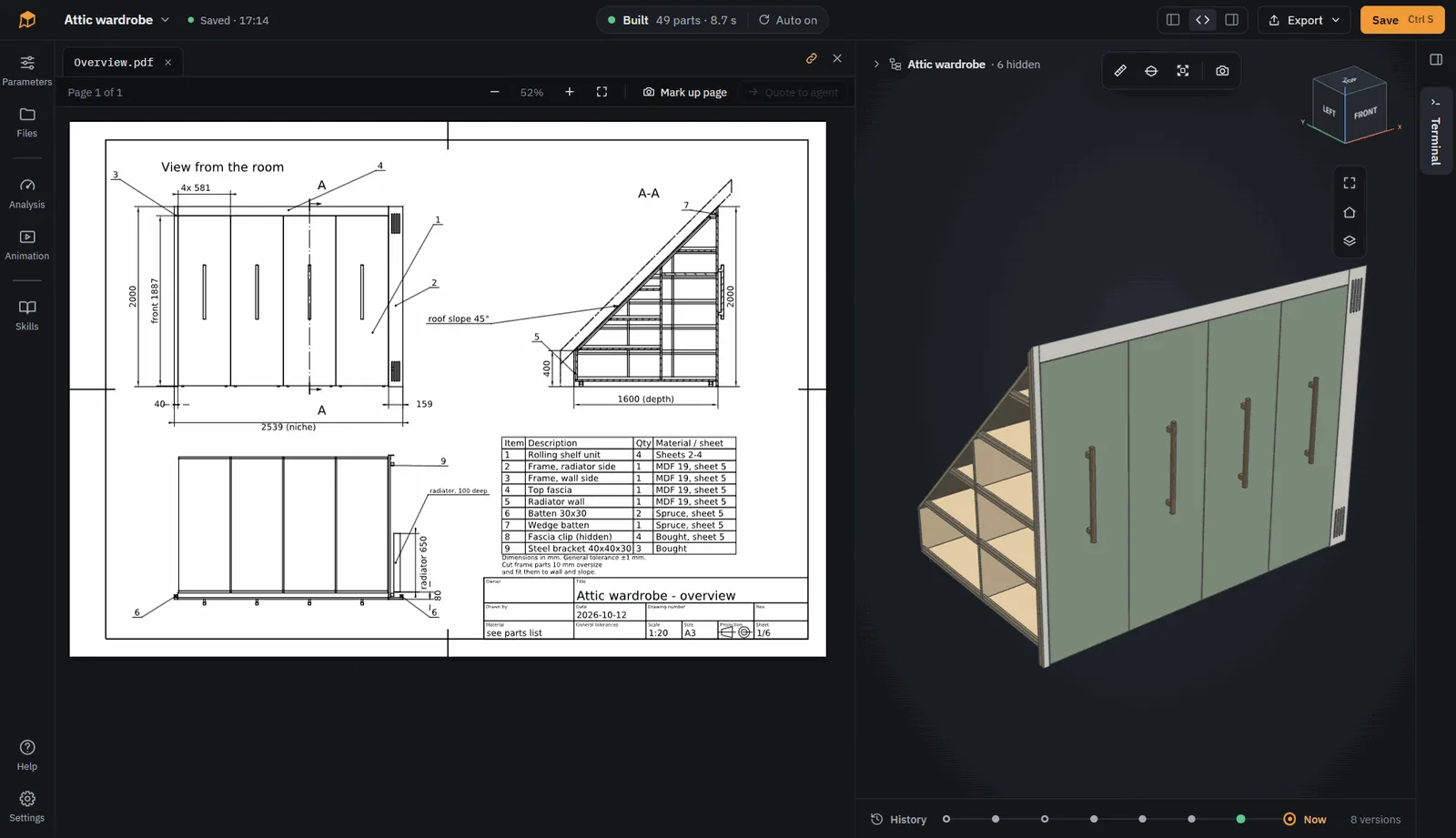
Technical drawings with views, sections and dimensions as PDF and DXF. Export STEP, STL, 3MF and more, or the whole model as a plain CadQuery script.
Click New model on the start page. It begins with a small example: a box with a lid.
Use the + above the terminal. SOMA lists the CLI agents it found on your computer.
For example “A case for a Raspberry Pi 5 with vents in the lid, printed in PETG.” SOMA builds every change.
Measure, point at what is wrong, and let the agent fix it. Then export STL, 3MF or STEP.
SOMA is not an agent of its own. Any CLI agent that can read files and run commands works. You install and sign in yourself, so your subscription, model and permission settings stay yours.
SOMA is an early prototype, developed in the open. Bug reports, ideas and experiences with different agents are welcome as issues.
GitHub 158